A trigger starts it
A webhook, a form, a schedule or an incoming message.
Relay is our workflow automation platform for WhatsApp, SMS, email and voice, with AI steps, human approvals and CRM sync. One builder for almost any automation a business runs, and it connects to any app that offers an API or webhooks.
No sign-up needed. Demo messages go to a sandbox; nothing is sent.
Illustration · every step is a real Relay step
A webhook, a form, a schedule or an incoming message.
From the workspace’s own documents.
WhatsApp, SMS, email or a voice call; the run waits for the reply and branches on it.
An approval step pauses the run until someone approves it in the inbox.
Native HubSpot, Salesforce, Slack and Stripe steps; anything with an API or webhooks through the HTTP and webhook steps.
Every run records the input, output, chosen path and timing of each step.
Open any of them in the demo workspace and run it.
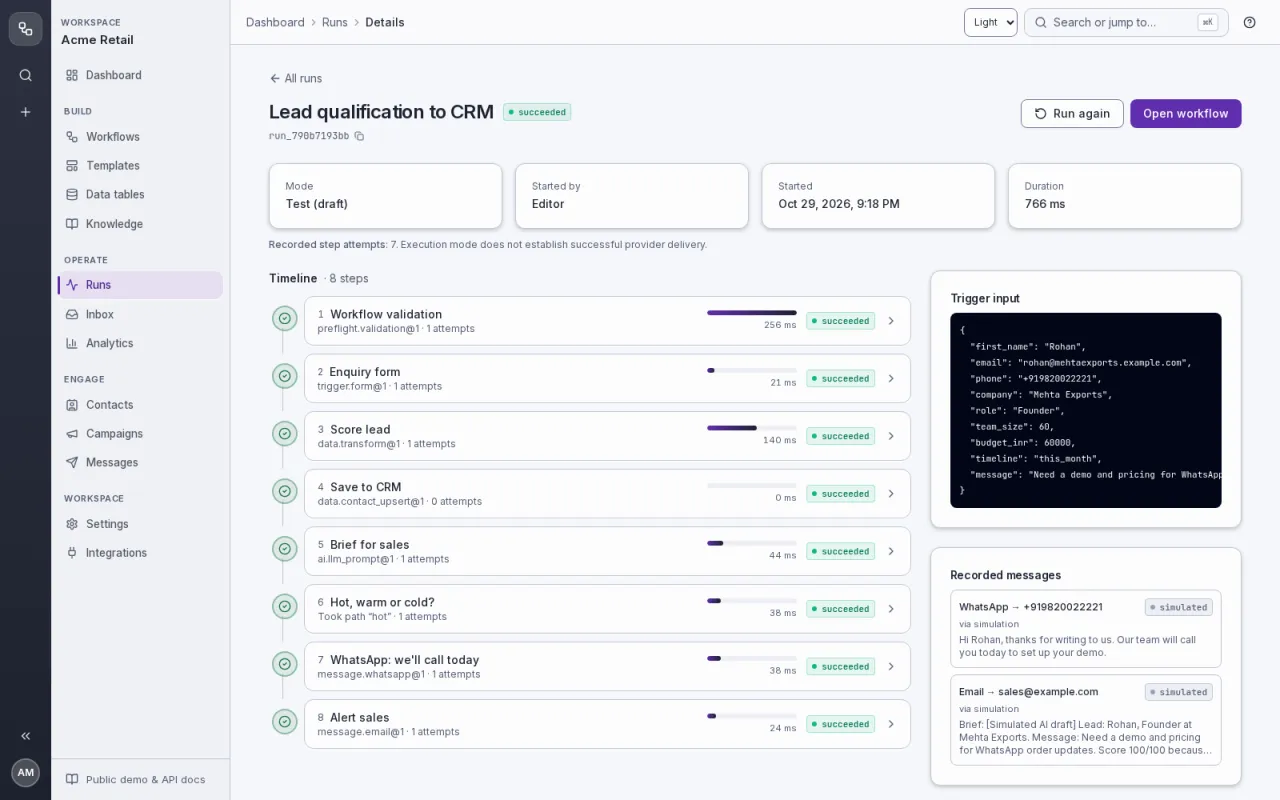
Score every enquiry from fixed, visible points, save it to the CRM with a hot/warm/cold tag, have AI write a two-line brief for sales, and follow up: hot leads get a WhatsApp and a sales alert, warm and cold leads get the right email.
Run it in the demo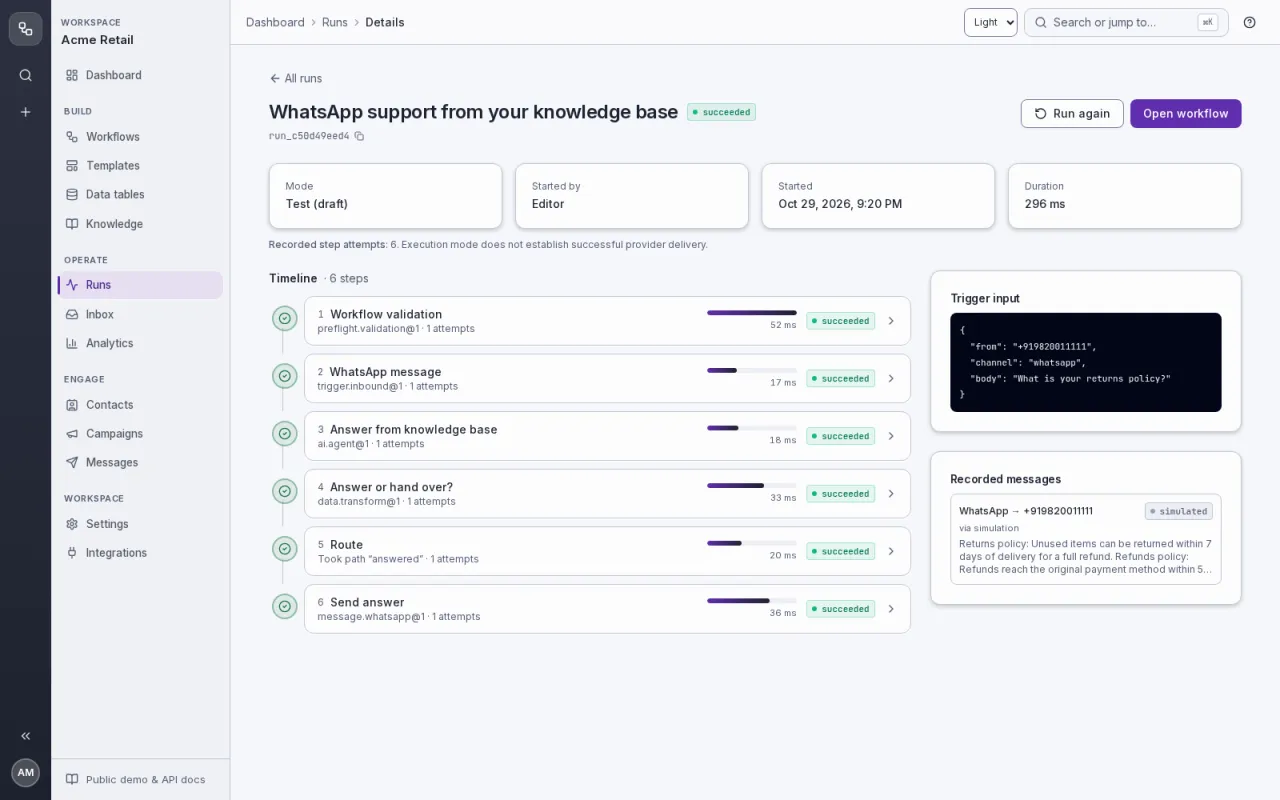
Answer WhatsApp questions from your store's policies and documents. The answer names its source; if the knowledge does not cover it, or the customer asks for a person, a teammate takes over in the Inbox.
Run it in the demo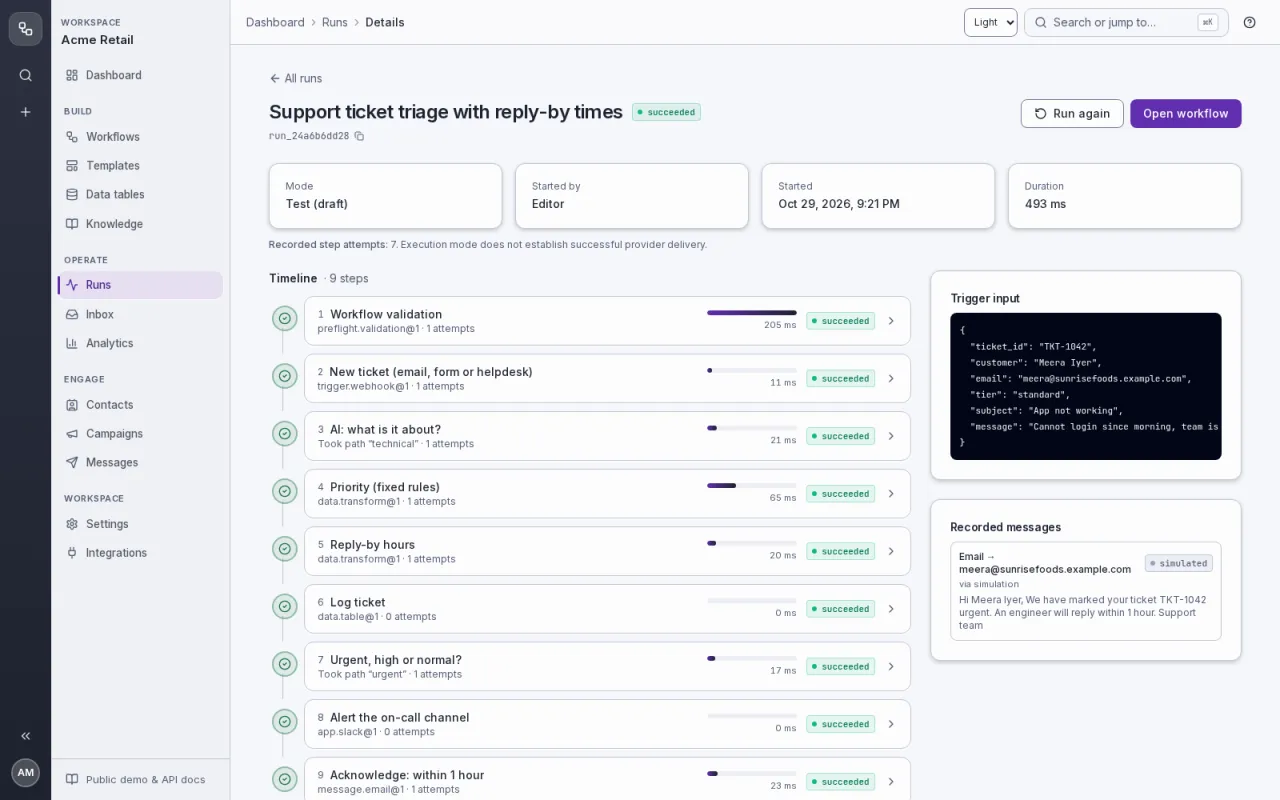
AI reads every new ticket and tags the topic; fixed rules set the priority and the reply-by time; urgent tickets alert the on-call channel at once, and every customer gets an acknowledgement that says when they will hear back.
Run it in the demo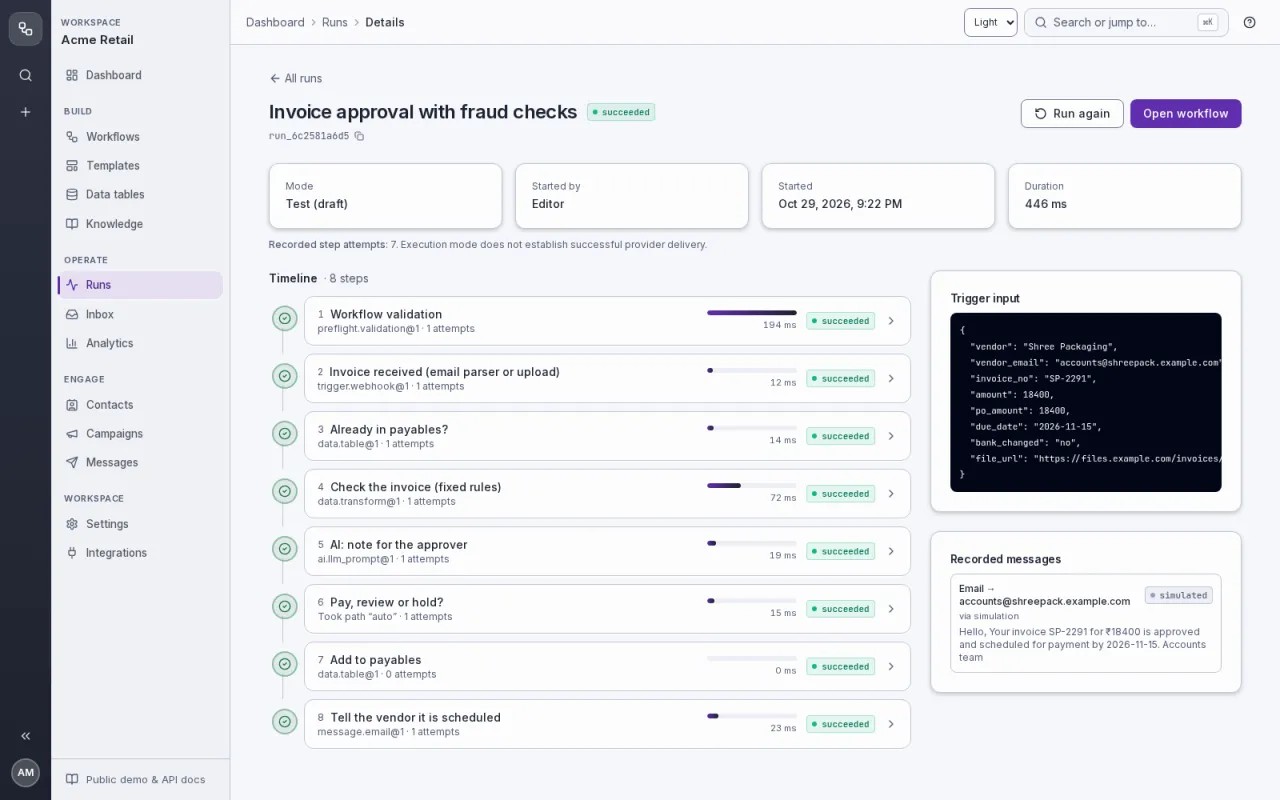
Every vendor invoice is checked by fixed rules (missing fields, more than 2% off the purchase order, changed bank details, invoice number already booked). Only invoices that match a purchase order and are under ₹25,000 go straight to payables; the rest wait for a manager, and anything odd waits for the finance lead with an AI-written note saying what to check.
Run it in the demo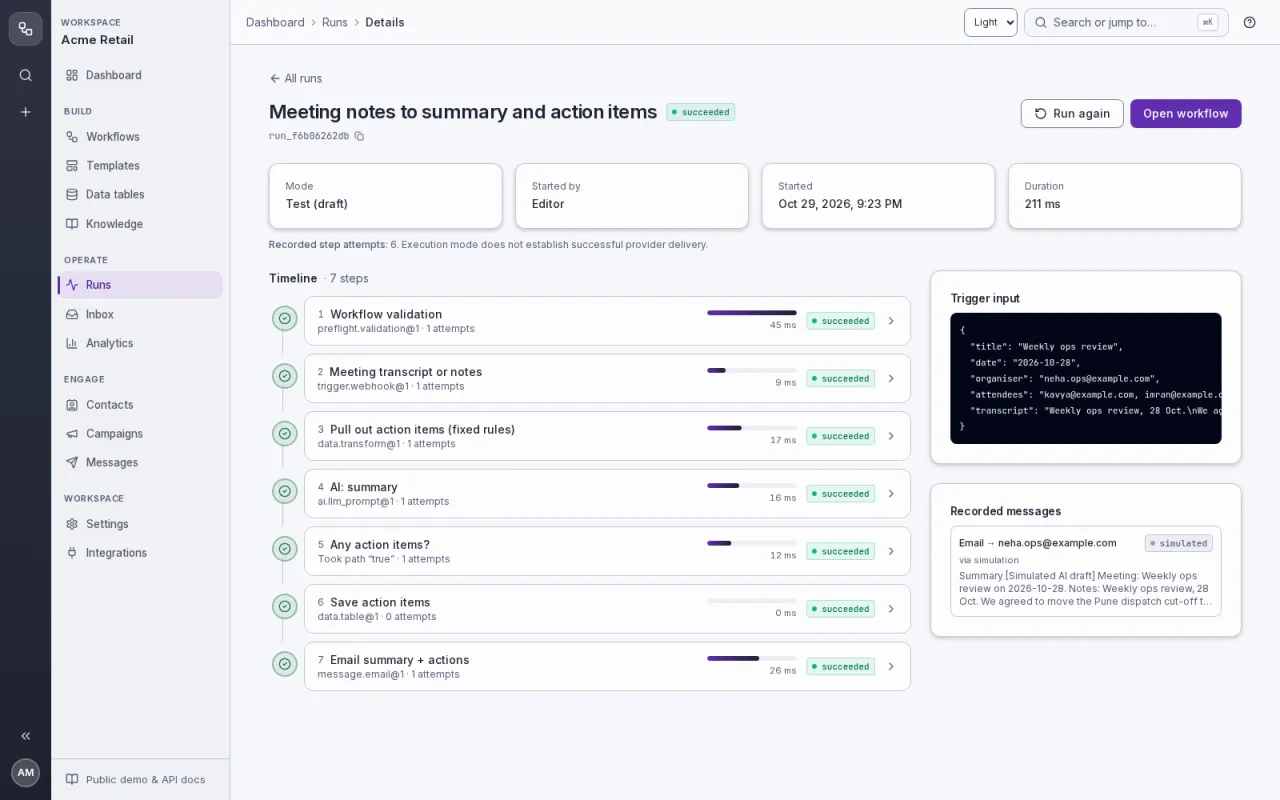
Send any meeting's notes or transcript; Relay pulls out the action items by fixed rules, AI writes a short summary, the actions are saved to a table and everyone gets one email with both.
Run it in the demo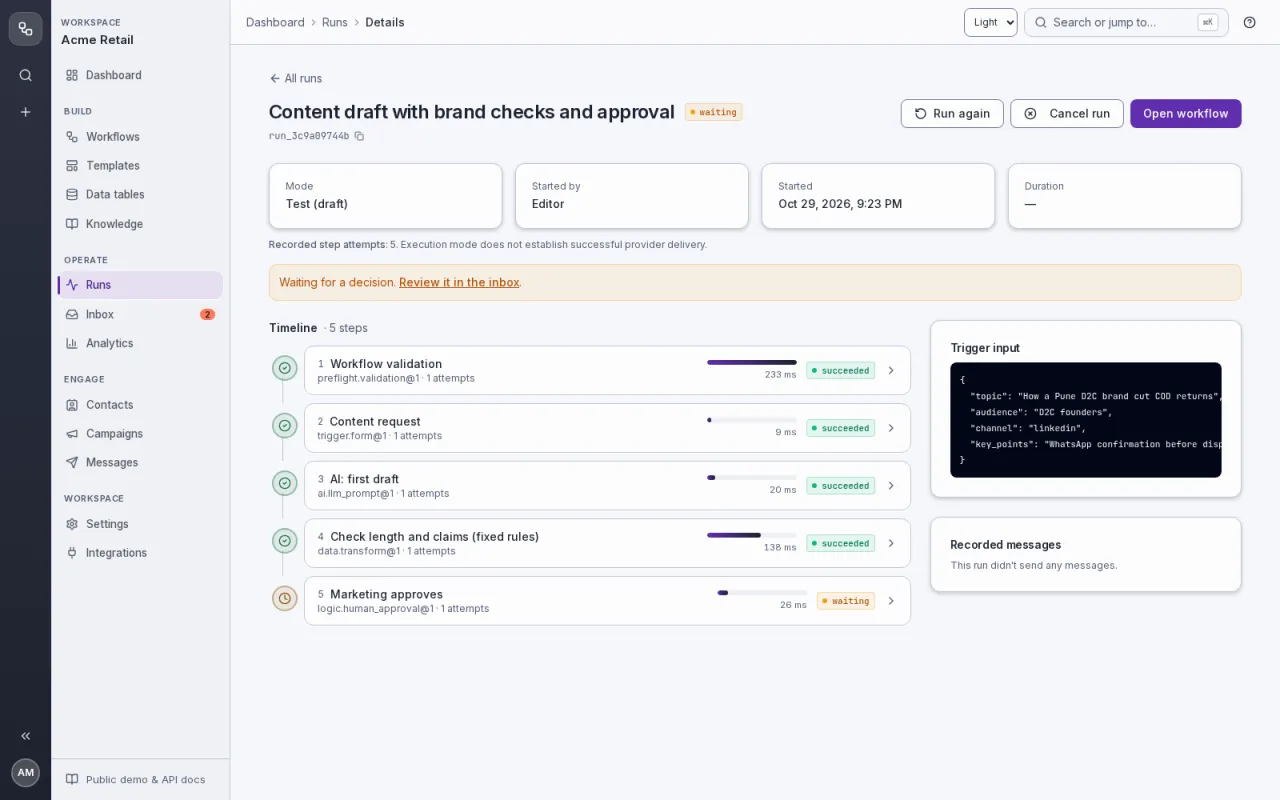
Ask for a post in a form; AI writes the first draft for the channel; fixed rules flag drafts that are too long for the channel or make risky claims ('guaranteed', '100%'); nothing goes out until marketing approves.
Run it in the demo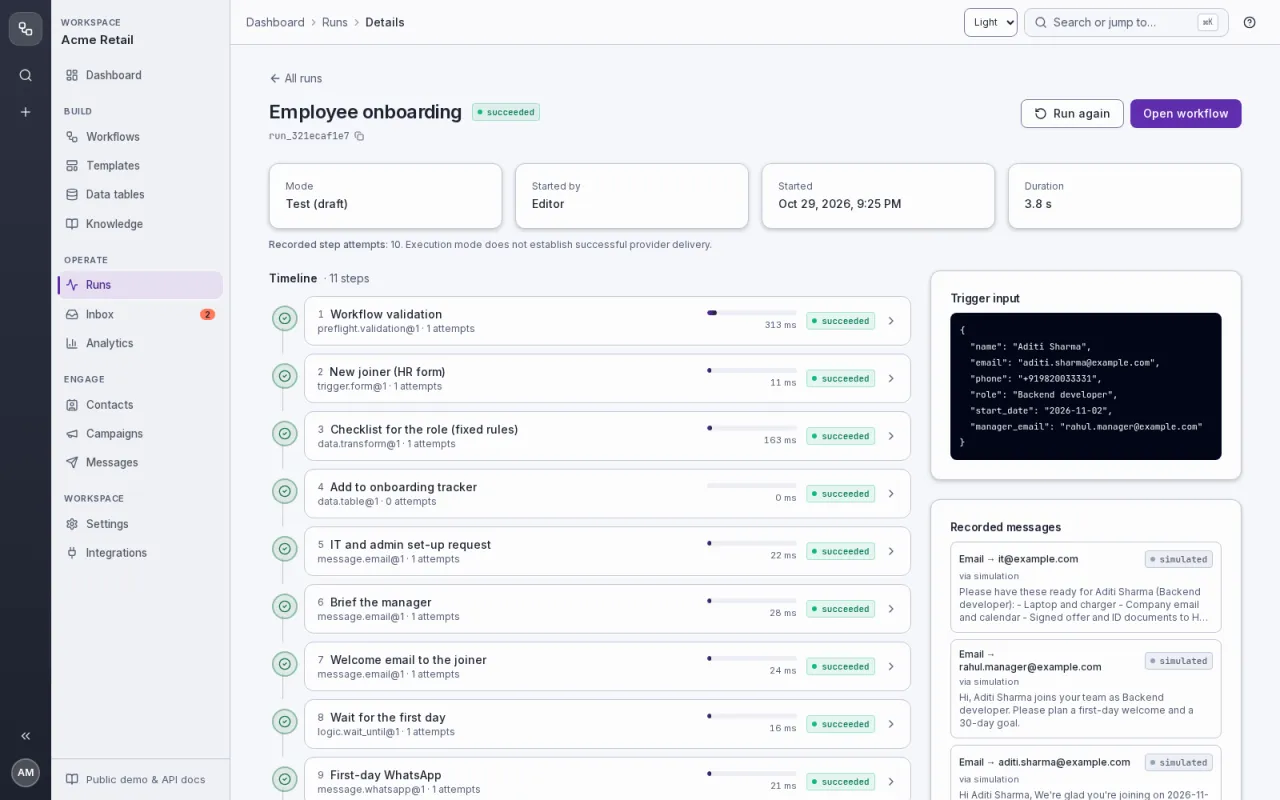
One HR form starts everything: a role-based checklist, the IT and admin request, a manager brief, the welcome email, a first-day WhatsApp and a one-week check-in.
Run it in the demo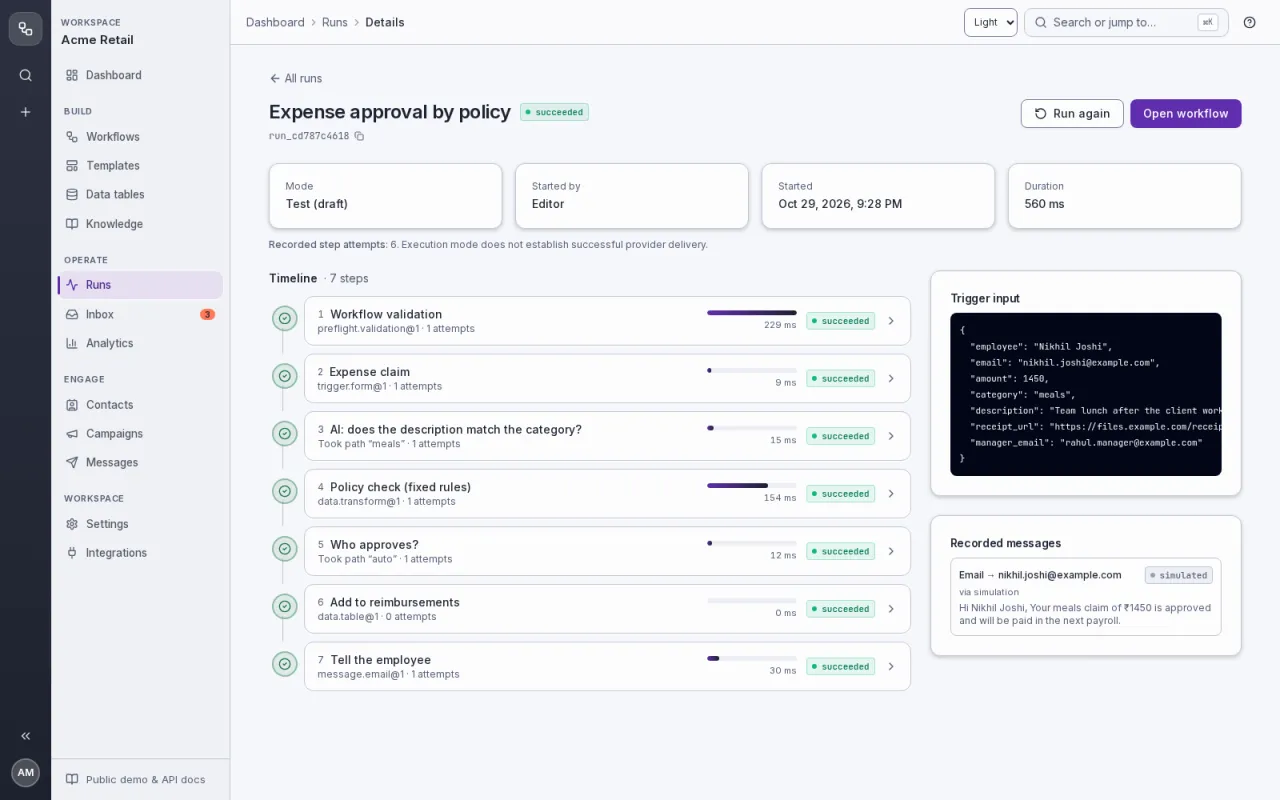
Employees claim an expense in a form and pick a category; fixed policy rules decide who approves (auto under ₹2,000 with a receipt, manager, or the finance lead over the category limit). AI reads the description and can only add a flag: if it disagrees with the category, a manager looks.
Run it in the demo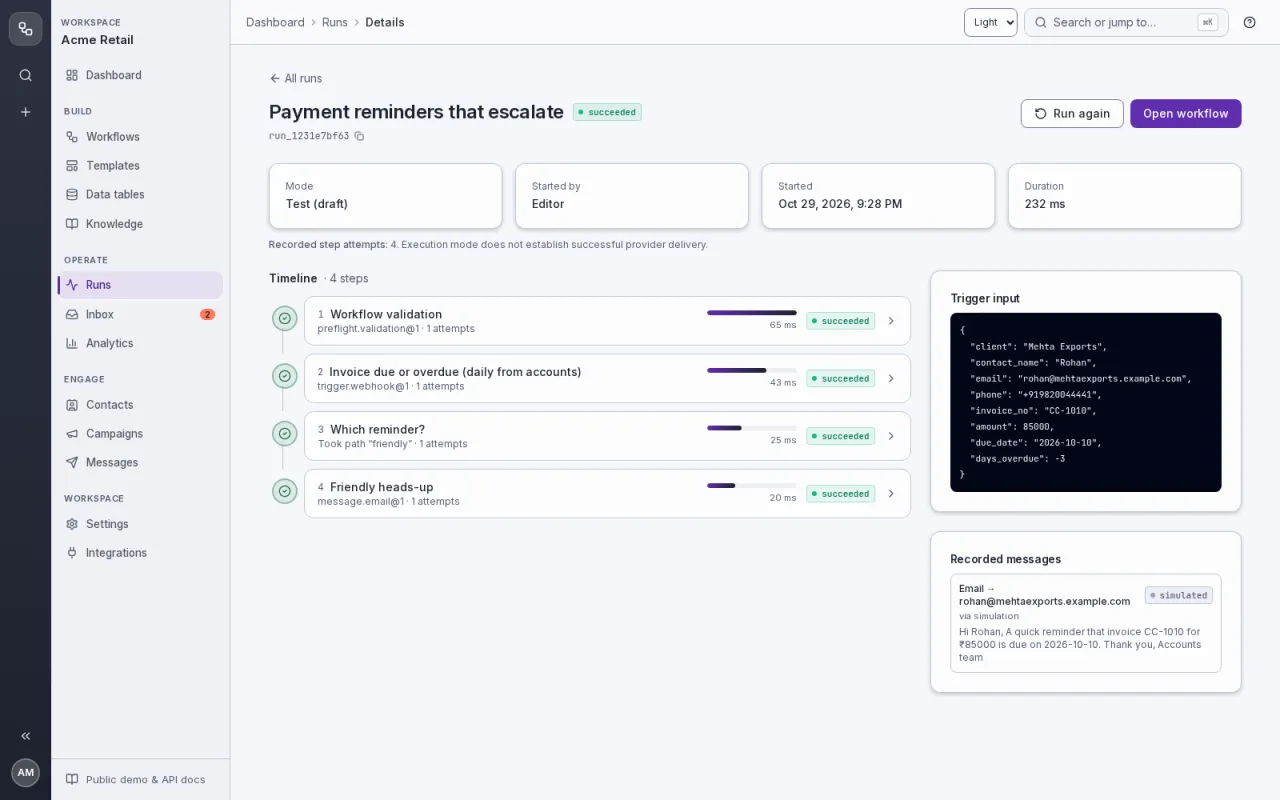
Your accounts system sends each due or overdue invoice once a day; Relay picks the right step by days overdue: a friendly heads-up, a WhatsApp nudge, an AI-drafted firm email with accounts in copy, and past 30 days a task for the owner to call before the final notice.
Run it in the demo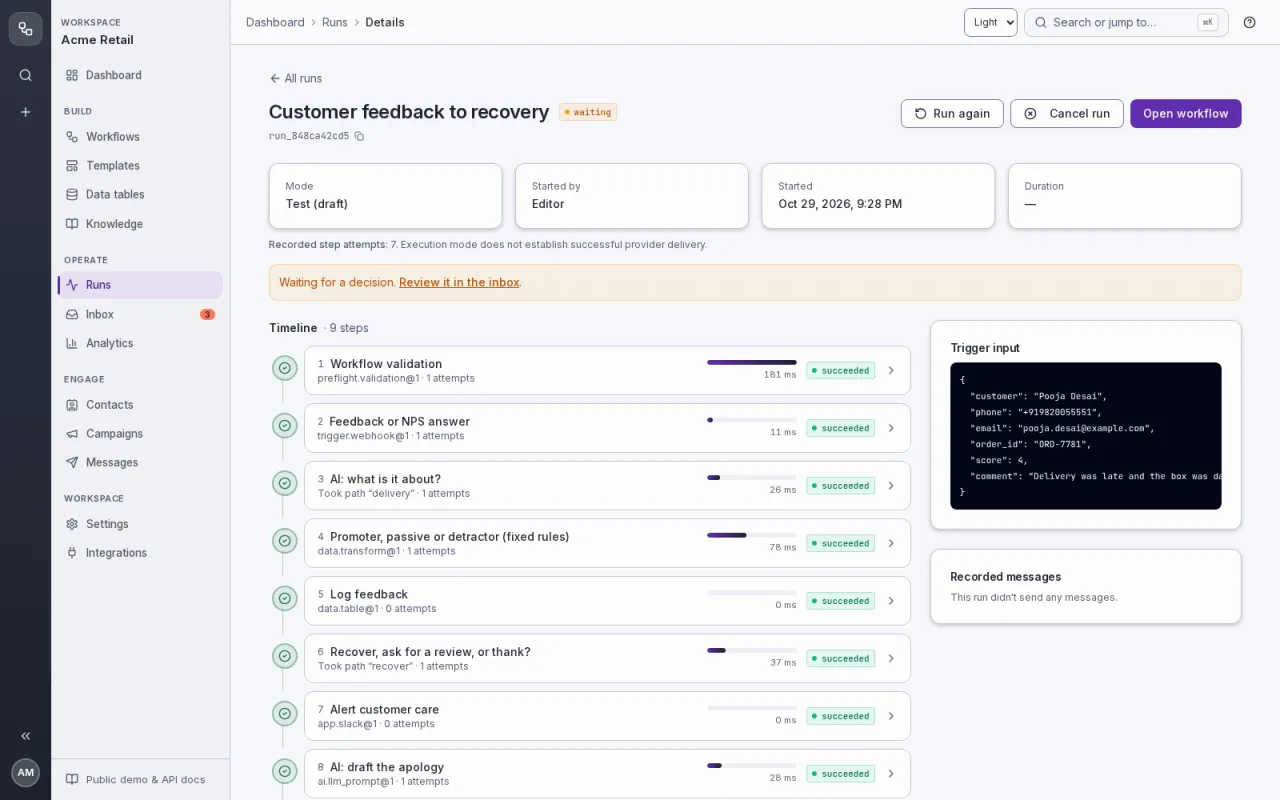
Every feedback or NPS answer is logged with an AI topic tag; fixed rules decide what happens: unhappy customers (score 0–6 or a complaint in the words) alert customer care and get an AI-drafted apology a person approves, happy ones are asked for a public review, the rest get a thank-you.
Run it in the demoWe automate your customer messages on WhatsApp, SMS, email and voice, with AI answers from your own information and a person approving anything risky. On the first call we build one of your workflows live in the demo workspace.
The demo workspace is a sample company. Open a workflow, press Test run, and watch the steps light up.